
Before you write a single line of smart contract code, most apps already end up with:
- Multiple wallet adapters
- Custom provider logic
- Inconsistent connect modals
- Repeated address display components
This is local UI state, every app rebuilding the same pieces. Push Chain's UI Kit replaces that with a shared wallet UX layer that any React app can use instantly.
Local State vs Shared State
Local UI State (how apps work today)
When every project builds wallet UX on its own, you get:
- Different connect() flows everywhere
- Custom logic in every repo
- Mismatched UI patterns
- Debugging the same provider errors repeatedly
Think of this as local state per app, isolated wallet UX that no two apps implement the same way.
Shared UI State (how Universal Apps behave)
UI Kit gives your app a shared, standardized, reusable wallet layer:
- One provider wrapper
- One connection hook
- One modal system
- One consistent UX pattern
- One source of truth for wallet state
Every app plugs into the same wallet experience instead of reinventing it.
❌ Before (Local UI State)
- MetaMaskConnect.js
- CoinbaseConnect.js
- WalletConnectSetup.js
- Custom modals
- Custom provider setup
- Custom signer flows
✅ After (Shared UI State)
<PushUniversalWalletProvider>usePushWalletContext<PushUniversalAccountButton>- One wallet modal
- One consistent provider
- Fewer files, fewer bugs
Here's how to do it in just 5 steps 👇
Step 1 — Install the UI Kit
🔗 push.org/docs/chain/ui-kit/integrate-push-universal-wallet/
This starts the migration away from per-chain UI logic.
npm install @pushchain/ui-kit
Step 2 — Add the Shared UI Context
<PushUniversalWalletProvider> sets up the shared wallet environment.
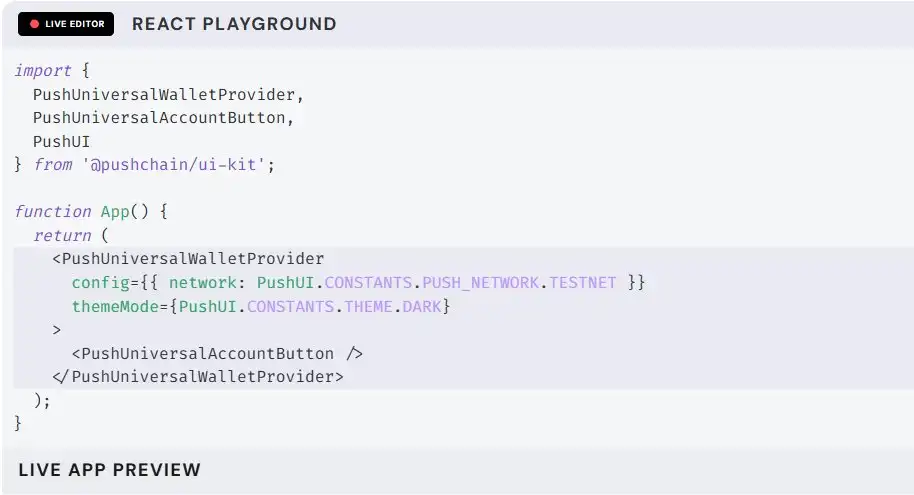
What this unlocks:
- Universal session management
- Abstracted provider logic
- Identical state across all chains
- No chain-bound assumptions inside your UI
This is where your app stops being "local."
Step 3 — Use the Shared Wallet Hook
The UI Kit exposes a single wallet hook that replaces multiple connectors.
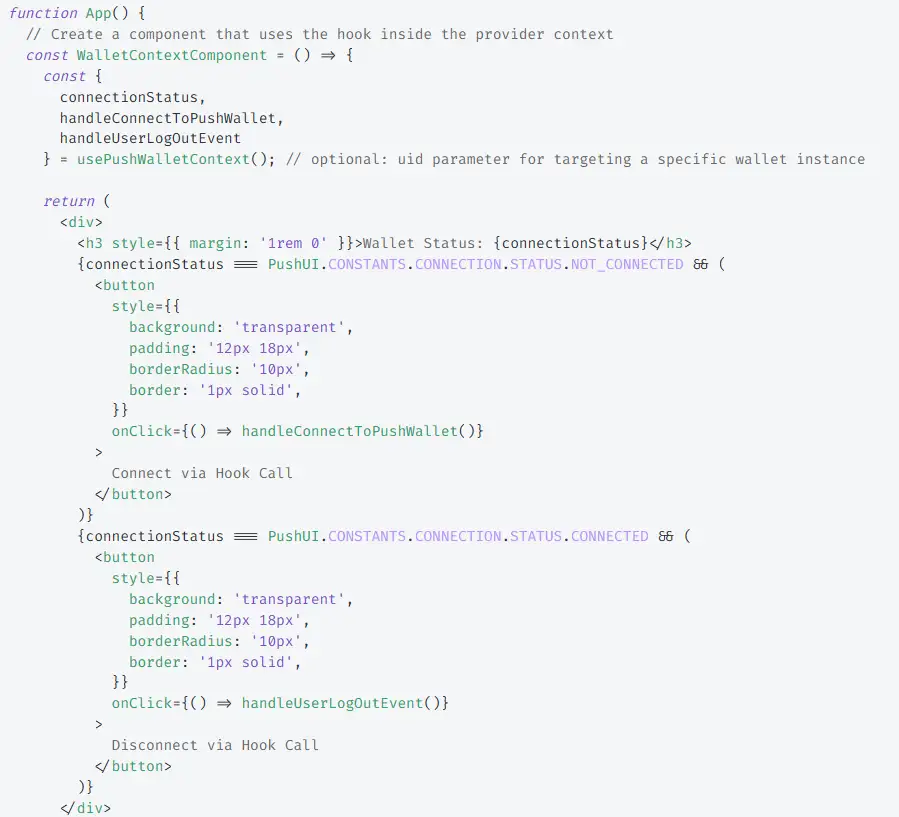
Here:
address→ the connected wallet addressconnect()→ initiates the connection flowdisconnect()→ resets wallet state
Single, unified wallet interface. No more custom connection logic.
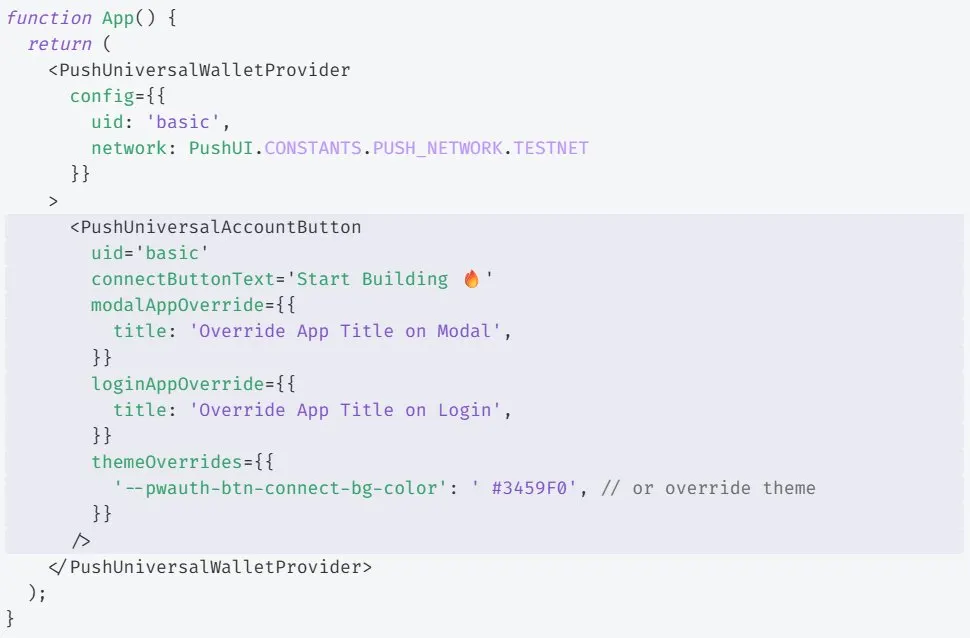
Step 4 — Use Shared Components
The UI Kit includes ready-to-use components like:
- ConnectButton
- AddressDisplay
- WalletModal
You get a consistent modal + interaction pattern across all apps.
Step 5 — Use Your Own Library for Transactions
UI Kit doesn't abstract execution. It gives you the wallet provider so you can use ethers/viem normally.
Boom! Your app Wallet UI is now Universal.
UI Kit doesn't change your blockchain state. But it does change your UI state model: Local → Shared
- From custom code → to a shared wallet layer
- From 6 files → to 2 lines
- From inconsistent UX → to predictable components
- From per-app logic → to a standard interface
You remove ~80% of the boilerplate that every app rewrites.
Takeaway: UI Kit standardizes wallet UX. Your app stops rebuilding the same wallet flows, and starts using a shared, reliable UI layer instead.
Start here → push.org/docs/chain/ui-kit/